Showing posts with label Management. Show all posts

Sunday, December 25, 2016

Weekly thoughts

clip_image002

Previously I’ve talked about the importance of a dedicated time for personal reflection, a retrospective of your life. This tool helps me to improve in all aspects of my life. However, my job is a huge part of my life – and I want to make sure that I also constantly improve in it. Moreover, I want to make sure that I constantly improve it. Therefore I’ve create a method that allows me to retrospect my work in all its aspects and, most importantly – to share it with my manager. I call it “Weekly Thoughts”.

Every Wednesday evening, I have a scheduled slot in my calendar for some time for myself (it has to be in your calendar, because what is not in your calendar doesn’t exist). I write it down in an email and then send it to my manager. Unlike an actual retro, I use a slightly different format:

  1. Things I’m excited about:
  2. Things I’m concerned about:
  3. Inbound
    1. What is working and we should keep doing
    2. What is not working for me
    3. Opportunities
  4. Outbound
    1. What is working and we should keep doing
    2. What is not working for me
    3. Opportunities
  5. People
    1. Opportunities
  6. Recruiting
  7. What concerns my manager and how I can help him

As you can see, the format is different from a regular retro. The main reason is that it isn’t only a retro. Retro is a method for reflecting previous events. However, this method has several other purposes.

What is on your mind?

clip_image006

I call it “weekly thoughts” on purpose. Look at the first two points: “Things I’m excited about” and “Things I’m concerned about”. Unlike a usual retro, I’m not looking for action items; I just try to understand what’s made me tick this week and what’s stopped me from ticking. It can be a cool feature that I delivered, a meetup that I’ve hosted or a simple conversation that made my week. Things that make you tick, that make you happy during the day, are worth mentioning. It is easy to talk about the bad stuff – I want to cherish the good stuff, too.

The things I’m concerned about, on the other hand, I do want to address. So sometimes I’ll create personal action items for them. However, sometimes I don’t know how to treat something – like if one of my team members is leaving, or if a decision takes too long to approve.

Those things are on my mind. They concern me. For good and for bad. There is someone who should know about them: my manager. I schedule the time for my weekly thoughts on a Wednesday since it is the day before my 1 on 1 with him. This allows me to be more prepared for our meeting and also allows him to better understand me. Weekly thoughts is such a powerful tool because it allows me to share the full context of my work with my manager.

Don’t keep your thoughts to yourself. Share, ask for advice or direction.

What is your role in the manager-employee relationship?

clip_image008

There is an important truth that all of us sometimes forget.

We are not the only concern of our managers

They also have goals and tasks that do not necessarily concern us. Decisions that they want to take, some efforts they are pushing and, of course, tasks from their own manager. I’ve realized along the way that the fact I have a manager doesn’t mean this is a one-way relationship. I can help him as much as he helps me. I want my manager to succeed in his goals as much as he wants me to succeed in mine.

Therefore I have a special part in my format that is dedicated for the things that concern my manager and ways I can help him.

What happens in other aspects of your job?

clip_image010

“Job” is a short word (so is “work”) that has many parts, aspects and responsibilities – so when I say that I want to improve my work, I want to improve it in all of its parts. I choose to divide my job into 4 aspects:

Inbound, outbound, people and recruiting (I know that in the future this format will change, since I’ll have more or different responsibilities. But it works for now).

I want to separately focus on each part, and try to see what “works for me” and what doesn’t. Each of these parts deserves its own retro.

In the inbound part, I focus on my team. How is our communication? How can we increase velocity? Are we happy? Do we celebrate wins? Do we achieve our goals, and so on.

In the outbound part, I focus on everything that is external to my team. The interfaces with our stakeholders, the product owner, peers and other teams in R&D, and the company in general. Does our work hurt them? How can we share our knowledge with them? And how can we improve our process?

The people part may seem unnecessary since I already have the “inbound” part. However, my team members deserve a focused and dedicated part just for them. In the inbound section I think mostly about us as a team, a group of people who work together and can do it better. In the “people” part, I try to better understand every one individually. What makes them tick, what concerns them and how can I help them?

The last part is recruiting. Not only is recruiting a very important responsibility, it also requires a lot of time and attention. Therefore it has a dedicated part in my format, in order to see what works for me in the recruiting process and what doesn’t. Where do I and all the other recruiters waste time that shouldn’t be wasted? And what methods I find better than others.

What opportunities are you missing?

clip_image012

You can see that in almost every section there is an “Opportunities” part. Here I try to think a little about the future. What we should start doing now in order to improve or be ready for in the near-future. This is very powerful, since we rarely think about the future. We are so focused on today’s “fire” and tomorrow’s delivery that we basically never think about the opportunities we might be missing. By the way, you will need to miss some of those opportunities for whatever important reason. But there is a big difference when you knowingly miss opportunities and when you simply miss them because you are not aware of them in the first place.

clip_image014

My first job was at the age of 12 (I washed the stairs of my building), and since then I have worked almost all the time – after school, in the summer, during my military service (I consider my army duty as a software engineer as work) and now. So for the last 13 years I’ve been constantly working. I have learned that if you try to think further ahead, constantly try to improve yourself and your surroundings, and share your thoughts with your manager, you will gain two very important things: Change and Trust.

Think about it ;)

Tuesday, December 20, 2016

Estimations​ ​in​ ​Agile development​ ​-​ ​Improving Estimations​ ​using​ ​Burndown, Burnup​ ​and​ ​Actual​ ​Time metrics


iStock_000016213049Small
This is the fourth and the last post in the Estimations in Agile development series.
  1. Epics, User Stories and Tasks
  2. Estimating User Stories with Story Points
  3. Sprint Planning Methods: Capacity vs. Velocity vs. Feature 
  4. Improving Estimations using Burndown, Burnup and Actual Time metrics (you are here)
In the previous post we’ve discussed the different methods for the sprint planning and the benefits of using absolute units like hours for estimating small efforts in a known time frame - the sprint.
In this post we’ll see some metrics that will help us verify and improve our estimations over time and even allow us to predict whether we’ll achieve our long term goals.
 

Burndown

After we finish estimating all the tasks we can create a rough estimation regarding the amount of work that has to be done (according to the daily capacity) in order to finish all the tasks on time.


The green line displays that available capacity for a current day. In other words – we need to make sure that our remaining work for the sprint is below the green line. Otherwise we won’t complete all the tasks on time.
Each day developers should update the “remaining work” field for their tasks – how much time is left for finishing the task. That metric will allow us to know whether we’ll finish all the estimated tasks or not.
The burndown might go up when new tasks are added or new information is discovered during the sprint.
The remaining work should be updated daily and the team should look at the chart in the daily stand up meeting. In this event we can easily see that our estimation are not correlating with our actual performance. The impact is clear: if the team proceeds with the current phase they won’t finish all the planned tasks for the sprint on time. Hence the user won’t receive a working product.

In this very moment the team should decide on the action to make the chart to convergent.
They can decide on giving some extra work to close the gap or perhaps remove the least prioritized task from the sprint – this is of course done with the product manager who is the stakeholder of the sprint.
The burndown chart is a daily feedback tool. it is effective only when it is updated on a daily basis. it is also another reason why I think one should use hours and not story points for the sprint’s tasks. when working with story points you don’t update the remaining time - you don’t change 3 SP tasks to 1 SP task, you simply work on it until it’s done. This way the burndown will not reflect your actual progress daily and it will be hard to understand if you are on track.


Actual vs. Estimated - Improving the team’s estimations

Even in a two weeks sprint we cannot know everything. Something will always surprise us. A larger than estimated task, an external requirement, un-expected technical support and more. Sometimes there is absolutely nothing we can do about it, however sometimes we can learn from these unaccurate estimations and correct them in the future. Therefore I suggest another metric which purpose is to compare our initial estimations to our actual performance.


After finishing a task, the team member will fill another field “Actual Work” with the actual time that took him to complete the task. This way we’ll create another graph that will compare the planned estimation to the actual one,  Allowing us to see which tasks were underestimated, overestimated and which were exactly as we predicted. Our purpose is to minify the gap between the actual and the estimated. ”why did the task take longer/less than we estimated? Could we do something in order to predict it?”  This graph is a great topic to start the retro meeting with.
 

Predicting the future with Burnup chart

The burndown chart allows us to monitor only a single and the current sprint. It allows the team a clear view on their progress in the sprint. However, it doesn’t tell if the team if the whole project is on track or will they finish it on time? Every stakeholder and manager wants to know when will the project, milestone or a release be ready.  It is hard to predict a date 3-6 months into the future. Any estimations for this feels like a hunch. “Well, we have 3 months left and 2 more big features, so I guess will make it on time”. How can we monitor our progress on a ~weekly basis?

Actually we can predict all this using our previous progress. Let’s say we are 4 sprints in (2 months) in a 6 months project. Will we make it on time? To answer this we need only 2 things:
  1. Estimated backlog (Epics/ user stories with their SP values)
  2. The Team’s average velocity
Average Velocity is the amount of story points that we finish in each sprint divided by the number of sprints (those who read the previous post probably understand that this metric won’t be too accurate but it is enough for this purpose).

Team’s average velocity for the last 4 sprints = (10 +8 + 6 +11)/ 4 = ~9.
The beauty of the team’s average Velocity is that it gets more accurate with every sprint. Therefore if we know the end date (4 months from now) and the average velocity, then we can predict how many story points the team will finish by that time.
We’ll take the previous chart and we’ll turn it into a cumulative

Now, based on the average velocity we can calculate how much SP we’ll finish in the future sprints.

All the data on the right of the black line (the present sprint) is predicted based on actual data from the previous sprints. You can see that after 12 sprints the team will finish ~110 Story Points. If the total required amount is 100-110 then it seems that we have the right velocity and we’ll finish the project on time.  But we all know that the above chart is too good to be true. The below one is probably more realistic:

This chart is called burnup and it allows a clear, data driven, look at the future. Based on this data the team, and everyone else, knows that the project won’t be ready on time. The velocity should be higher, the ETA should move or the project scope should change. Either way -this is not a hunch.
 

Summary

In this post we’ve seen 3 ways to improve our estimations and predictability. The actual vs. estimated is the best tool to verify and improve your estimations over time and the burnup will let you know you need to speed up your development, even if you finish all sprints on time. The key is to constantly check yourself and improve.
In this series we covered lots of topics regarding Agile development and estimations. It is important to remember that there is no “right” way to do Agile. There are common fundamentals but different teams should use and adopt the principles and process that suits them best. And remember that nothing is constant -  something that used to be “right” for you then, may not be right anymore. So keep retroing yourself and your process, keep fine tune it all the time and I hope that you’ll find what is best for you.
Feel free to share and comment.
Estimations in Agile development – Epics, User Stories and Tasks
Estimations in Agile development – Estimating User Stories with Story Points
Estimations in Agile development – Sprint Planning Methods: Capacity vs. Velocity vs. Feature
Estimations in Agile development - Improving Estimations using Burndown, Burnup and Actual time metrics (you are  here)


Saturday, October 8, 2016

Estimations in Agile development – Sprint Planning Methods: Capacity vs. Velocity vs. Feature


time

The updated version of this post can be found here - in my new blog.

This is the third post in the Estimations in Agile development series.
  1. Epics, User Stories and Tasks
  2. Estimating User Stories with Story Points
  3. Sprint Planning Methods: Capacity vs. Velocity vs. Feature  (you are here)
  4. Improving Estimations using Burndown, Burnup and Actual Time metrics
In the previous posts we’ve learned how to breakdown features to epics, user stories to tasks, and how to estimate epics and user stories. We talked about the three prioritization cycles and their importance, and why relative units like story points work better than time based units like ideal days.
In this post I want to focus on the sprint and on the meeting that starts the sprint – the sprint planning. I’ll show you why technical tasks, unlike epics and user stories, should be estimated in time based units like hours.
The Purpose of the Sprint
A sprint’s purpose is to deliver value to a user and receive feedback. If by the end of the sprint, a user doesn’t receive any value or the team doesn’t receive any feedback for their work, the sprint wasn’t successful. Only after seeing real working features, a user can tell that they are, indeed, what he needs.
A “user story” shares the exact same purpose – deliver a value to a user, that means that we should be able to accomplish at least a single user story in a sprint.
Capacity planning vs. Velocity planning vs. Feature planning
The top user story in the backlog is the one that we need to deliver first since it is the most valuable to the user. But how do we know if that user story actually fits into a single sprint?
There are 3 methods to decide how many user stories can fit in a sprint:
  1. Feature Planning
  2. Velocity Planning
  3. Capacity Planning
Let’s drill down to each of those methods.
Feature planning
This method basically states that by the end of the sprint, a chosen feature(user story) must be ready. This method is usually used when the team has a deadline that cannot be changed like a commitment for stakeholders or an external constraint. The team will literally do whatever it takes to accomplish the feature. Including long hours and even weekends. The team will not be able to keep up with this for long.
Avoid using this method if possible. However if the company does work like this, then it is important to take the right buffers and plan ahead in order to remove the dependency between the external and the internal dates.

Velocity planning
Velocity planning method uses the team’s average ‘velocity’ in order to determine the amount of user stories for the sprint.
Velocity is a metric that defines the amount of story points a team accomplishes in a single sprint.
For example, if a team finished a total of 10 story points 2 sprints ago and another 10 story points in the last sprint, then its velocity is 10 story points.
When planning based on previous velocity, in the upcoming sprint the team should take user stories with total of 10 story points.

This method is obviously better than the previous one. However this method is not accurate enough for a two weeks sprint resolution.
The velocity based planning is relying on addition of relative units – story points. The problem with adding these values is that 1SP + 2SP != 3SP.
A story point is a relative unit that describes a story’s complexity relatively to another story (X is 2 times harder than Y). This unit is great for comparing stories and deciding on their priority, however a 2SP task doesn’t equal to two 1SP tasks. As a matter of fact, 2SP task doesn’t necessarily take the same amount of time that as another 2SP task.
Let’s assume that our project is already running for 10 sprints. We could look back at every user story in every sprint and give it the actual time it took. This will allow us to convert story points to time. Let’s say that after that calculation 1SP is equal to an average of 12 hours.
C:\Users\Dennis\Downloads\snip_20160427004317.png
*Agile Estimating and Planning by Mike Cohn page 162
As you can see that despite the fact that the average is 12, we had tasks that took less and some that took more. The standard deviation becomes bigger as the SP number value is higher (some 3SP tasks will take 30 hours while others may take 45 -50% more). It should not be a surprise – after all 2SP states that it is 2 times more complex than 1SP task, it doesn’t mean that every time it will take twice as long.
Therefore if you plan your sprint using velocity don’t be surprised if some of the tasks take longer than others although they have the same SP value, and that you won’t finish all the planned tasks by the end of the sprint.
Capacity Planning
There are many unknowns when we try to plan months ahead (like in the beginning of the project). However things are different then we plan a sprint (which is only 1-4 weeks long). There are several known facts that allow us to plan more accurately:
  1. A sprint’s length is constant (read here why) it can be 1 -  4 weeks longs. Either way it is known, hence we know how many working days there are in the sprint.
  1. We also know of how many working hours are there in a single day of a sprint.
  1. And we also know how many team members to we have.
For example in a 2 week sprint we have 10 work days, 9 hours a day and 4 team members. 10 X 9 X 4 = 360 hours.
However we don’t actually have 360 hours right? What about all the meetings? The days off and other known wastes.We know most of our wastes when we plan for 2 weeks ahead. We also know another thing – we don’t actually work 9 hours a day, take off lunch, breaks, vacations, support hours and other context switches and it will be more like 6.
Each team member can easily calculate his capacity by simply looking at his calendar, so in order for the total capacity to be accurate, a sprint capacity calculation should consider every team member individually.


That is the sprint capacity (for a 1 week sprint).
The capacity represents the absolute amount of work that the team can handle in hours. The sprint’s capacity is like an empty glass which size is determined by the team members working time (also hours).
https://encrypted-tbn0.gstatic.com/images?q=tbn:ANd9GcQ62oVyyqvzXroppq5tEfrjxsf5aZp8IRA7YWgz8GhzBjJZL1FO
The size of the glass is in hours, therefore in order to fill it we also need to use hours. Unlike big features, epics or user stories which are hard to estimate, tasks should be well defined and should require a relatively small effort (no longer than 3 days). The tasks estimation is created using poker planning

After estimating the first task we add it to our sprint backlog and basically “fill the glass” a little.

We can see that we haven’t reached our capacity yet. Therefore we can keep estimating until we’ll reach it.

We had successfully filled our time with…time! Before the planning we have removed all the known potential wastes and therefore we have a pretty good reason to believe that we’ll complete all the tasks in the sprint on time.
We could wait for the end of the sprint and find out whether our estimations were correct, or we could use some useful metrics to verify daily that we are on track.
We could also use some other metrics that will allow us to improve our estimations over time, and for the grand finale, we can use a very special metrics that will help us to predict the future.

Read about all that and more in the next and the last post of this series.
Estimations in Agile development – Epics, User Stories and Tasks
Estimations in Agile development – Estimating User Stories with Story Points
Estimations in Agile development – Sprint Planning Methods: Capacity vs. Velocity vs. Feature  (you are here)
Estimations in Agile development - Improving Estimations using Burndown, Burnup and Actual time metrics (go here)


Sunday, September 4, 2016

Estimations in Agile development – Estimating the Backlog with Story Points

This is the second post in the Estimations in Agile development series.
  • Epics, User Stories and Tasks
  • Estimating User Stories with Story Points (you are here)
  • Sprint Planning Methods: Capacity vs. Velocity vs. Feature
  • Improving Estimations using Burndown, Burnup and Actual time metrics estimate
    In the previous post I’ve introduced the different product backlog items, their hierarchy and scope.
    In this post we’ll learn how to estimate user stories using story points. I’ve introduced the videos website project that I’m building. This is its current epics backlog:
  • 1
    Story points
    We need to estimate those epics, but how? The trivial option is time. We usually estimate effort in time “It takes two hours to get to Tel Aviv”, “The renovations will be over in a week”. However, it is extremely hard to estimate long term effort in time.
    Let’s look at the first epic Allow users to find, play and comment on videos. This is obviously a lot of work. It is more than a week and probably less than a year. Every time driven estimation won’t be accurate. It is hard to estimate accurately something that is longer than a week. Months? Impossible. We need something else.
    When estimating long term effort we should use a more relative unit like size or complexity.
    These units allow us to easily compare features by their size or complexity. “This one is 2 times bigger/more complicated than this one”. It allows to easily separate the complex features from the easy features or from the small ones to the large features.
    Since the units are relative to one another we can choose any numeric representation that we want. We only have to stay consistent while using it.
    It can be 1,2,3 story points when 1 is super easy and 2 is harder, or 10, 20, 30… . It doesn’t really matter and that is the beauty in story points. Personally I prefer reflecting size in story points. “How long does it take to get from Tel Aviv to Herzelia? Same as getting from Tel Aviv to Holon which is 2 (some relative representation of this size)”.
    Another option is ideal days. “How many days will it take if the days have absolutely no distractions?” The problem in this way is that yet again it is time based and we suck in estimating long term in any time based method. Hence it is not recommended.
    Prioritize, estimate and prioritize again
    The backlog will be constantly prioritized and changed due to business requirement, estimations and new discoveries along the way.
    In order to properly prioritize we need to have the business prioritization along with the estimated R&D effort. Usually it will take 3 rounds:
    1. The first one is a “business prioritization” round. The product manager will prioritize the epics based on their business values. What feature does the user must have first?
    2. The second round is a “technical effort estimation” round. The R&D will go through the list of epics and spot the ones with the highest level of uncertainty and risks. We don’t want to leave the unknowns to the end – we want to tackle them from the beginning in order to increase our level of certainty in the required effort. Unknown effort usually is a big effort, hence its story points value will be big.The recommendations epic has many uncertainties like introducing intersects into the system and understanding what videos the user will actually want to watch. It seems like it is 3 times bigger effort than the other two epics. We’ll estimate it with a value of 30 while the other epics are 10. The cool part is that it doesn’t have to be “3 times bigger” it can be 5 or 10 times bigger. It is relative. It means that a new epic will have an estimation that is relative to the previous ones: is it “more like” the big one (30) or more like the first one (10).
    3. The third and last one is the “business prioritization” round again. This time the product manager sees the required effort for all the epics and decides whether some of the highly estimated epics should be moved higher or lower in the backlog. Perhaps if a feature is so difficult to implement then it shouldn’t be implemented at all. Our product manager is fine with our estimations and he decides to leave the epic in its current priority. The first two are more valuable than the recommendations.
    This is our current estimated backlog:
    2
    Estimating User Stories
    The epics are prioritized and estimated. Now what? We can start all the epics simultaneously but then it will take us much longer to finish the first one as opposed to focusing only on the first epic. Keep in mind that every epic has a real value to the user hence we want to decrease the time to market of every epic. In order to achieve that we must strive to start only a single epic at a time. There is a great phrase that one of my managers used to tell “stop starting – start finishing”. We should strive to focus on the most important feature first. Finish it and only then move to the next one. The feedback that we’ll get from real users might change our initial priorities.
    Now it’s time to split the first epic to user stories. We’ve done it already in the previous post:
    3
    The estimation process of user stories is identical to the epics. User stories also give actual value to the user, hence we need to deliver the feature with the most value first. Watching videos in a video library application is probably more important than commenting or searching (without videos to search or comment on).
    Now it is time for technical estimations round using story points – same as before. In this case the first user story is bigger than the other two since this is the first feature. We need to build the application’s first screens, create the project, build continuous deployment (hell yeah! From the start) and allow to actually watch videos.
    4
    *If you try to add up the estimations you won’t reach 10. That’s alright since 2 SP and 1 SP are not equal to 3 SP. In the next posts we’ll talk about ways to sum estimated effort in a more precise way.
    The filter user story has the smallest estimation since it has no persistence complexity and it feels like less effort than the other features.
    If a user story receives a big estimation then it is a sign that we don’t understand it well enough or perhaps it is just too big as a single feature. In both cases the best practice is to split it to 2 or more user stories while every user story will give actual value to the user. That is exactly what I meant in my previous post when I mentioned that epics split to themes and only then to user stories. Since this is our first estimations round we still don’t know what a too big estimation is. In the next post we’ll learn how to define our limit and by doing so define when we should break the user story further more.
    Time for the last business round of prioritization. This round is the most important one since it determines the next feature that the R&D will work on and that the user will see.
    After we’ll complete it and deliver it to the user we’ll receive feedback that might change these priorities. This is good. Our job is to deliver what the user wants. Having a real product at his hands might change some of his first assumptions. This is why the prioritization will happen again and again. Along with the priorities the estimations will also change. Something that we thought was 2 S.P. appeared to be much easier or much harder and it is no longer should be like other 2 S.P. user stories. It may sound depressing to constantly re-prioritize and re-estimate the backlog, however, this is the only way it will truly reflect the product.

    5
    Starting the sprint
    We know the user story that we should work meaning we are ready to start our sprint. The sprint starts with a “sprint planning meeting”. In this meeting the team splits the user story to technical tasks and estimates them.
    Should we also use story points for estimating tasks?
    How do we know that we filled our team’s capacity?
    What is capacity?
    How do we improve our estimations?
    All that and more in the next post.
     
    Estimations in Agile development – Epics, User Stories and Tasks
    Estimations in Agile development – Estimating User Stories with Story Points (you are here)
    Estimations in Agile development – Sprint Planning Methods: Capacity vs. Velocity vs. Feature  (go here)
    Estimations in Agile development - Improving Estimations using Burndown, Burnup and Actual time metrics


  • Tuesday, August 2, 2016

    The Project of Your Life

    By settings personal goals we improve ourselves and become better. I use Lean and Scrum principles for creating and tracking my personal goals.

    Keep reading and see how it works.


    When working on some project we set milestones, long term goals, short term goals and KPIs.

    We track progress and learn from our work by having retrospective meetings and checkpoints along the way.

    Now imagine you have a very large project ahead of you and you don’t plan at all. You just float and react to the different events along the way. Do you think you can make it right? On time? On budget? The answer, like always, is “it depends”. However, it’s more likely that you won’t.

    In order to succeed, we need to manage our life and not be managed by it. You need to manage it exactly like you would manage that project.

    multitasking

    Your life is a project and you are its developer, designer and product manager

    How many times did you say to yourself that you need to be better in this and that you should learn that? How many of those goals have you actually accomplished?

    The first step is to define what you want. I personally like this article. It makes me think about my strengths, weaknesses and just the things I want to know. I have a dedicated time every six months when I go over these questions and create my long term goals. These goals are the things I want to accomplish in order to be successful and better than I am today. I keep them in my Google Keep notes.

    *These are my personal goals:

    1

    Every personal (and not just personal) goal should be well defined (SMART goal).

    Specific – Your goal definition should answer these questions: Who is involved? What do I want to accomplish? When?
    Measurable – How can you measure progress and know if you are done?
    Attainable – How can this goal come true?
    Realistic – Be honest with yourself. Don’t define unreachable goals.
    Timely – Provide a time frame. Then, creating 6 month goals, you are ready to do it.

    Breaking Down Long-term Goals to Short-term Goals

    Defining long term goals is the first step in improving. Setting a goal is better than setting no goals at all. Writing it down is a commitment to yourself.

    In order to accomplish a long-term goal, which is usually a big goal (I want to master JavaScript, etc.), we need to break it down to smaller pieces – smaller goals (milestones) that we’ll accomplish along the way. Those goals should also be SMART goals. I have a recurring monthly time when I go over my long-term goals and decide what I want to do this month in order to get closer to accomplishing the whole goal. Like in Lean development, I constantly adopt and change my goals according to the situation (Perhaps there is no reason why I should learn JavaScript anymore?).

    The monthly short-term goals don’t always have to correlate to the long-term goals. Perhaps I want to take care of something in my job or maybe learn something that is not part of my long-term goals and is important for the following month. To be honest, it doesn’t really matter. As long as you take time to think about it, take a decision and commit to it by writing it down you will improve and be better. That is the whole point.

    2

    If you have never tried to “manage” your life and set goals for yourself, then I suggest you start with monthly goals. Think about the month ahead of you and try to define how this month will become a successful one.

    If you have set personal goals before, then I suggest you take it further.

    A month is a lot of time – four whole weeks! Usually when we have so much time ahead of us, we won’t start any task until the very end-and that is only if someone reminds us about it in the first place. That’s called the student syndrome.

    Weekly and Daily goals

    Scrum uses sprints in order to prevent the student syndrome. I like to look on my weeks as sprints. Every week has a sprint planning and a retro. I go over the previous week’s calendar and see how it went. I try to find the things I need to be better in and the things  I need to preserve and keep doing. This way I can improve and track my progress weekly. At the beginning of the week I have a dedicated time for planning my weekly goals which are subsets of my monthly goals, and the tasks I need to accomplish this week regardless of any long-/short-term goal.

    3

    During the week I have a “daily standup meeting” (although I do it on the train on my way to work) using Any.DO. This has a very cool feature that at 08:00 makes me go over my daily tasks and decide when I want to do them (sometime today or later this week).

    4

    5

    It is simply a to-do list that reminds me of the tasks I need to accomplish every day.

    Every week ends with a retro. I go over my previous week and write down important notes, facts and decisions. I write them in Penzu, which is basically a diary with a very cool feature –every week it sends me the note I wrote a year ago. This way, I’m constantly being reminded of my decisions (you need to use it for a year in order for it to be effective - don’t give up!).

    6

    Summary

    If you want to improve, you need to set personal goals.

    The goals should be both long- and short-term.

    Track both of them in Google Keep.

    Every week, set yourself weekly goals and have e retro for the previous week. Write it down in Penzu and be reminded of it afterwards.

    Have a daily meeting using Any.Do.


    This works for me, perhaps it can also work for you.

    Or maybe I’m just crazy Smile


    Acknowledgments:

    Netanel Lev and Shani Raba for reviewing the post.

    Monday, July 18, 2016

    Estimations in Agile development – Epics, User Stories and Tasks

    Agile, scrum, Kanban and Lean are no longer “new” methods for software development. There are hundreds of articles, books and courses about them. However, most of them include introduction material that mainly focuses on the basics. If you actually start using one of these methodologies you’ll quickly ask yourself with a missing – how are you supposed to estimate your work?
    If you search the web you will see that there is not much data about estimations, simply because it is HARD. It is very hard to estimate correctly. Jeff bezos used to say “If you are planning for more than twenty minutes ahead in this kind of environment, you are wasting your time”. We cannot predict the future, but we can maximize our chances in getting as close as possible to it.
    After reading several agile books (e.g. Agile Estimating and Planning by Mike Cohn), scrum courses and 6 years of practicing Scrum and Kanban in various projects I’ll try to add that missing piece called estimations in Agile development.
    This is the first of 4 posts in the “Agile Estimations” series.
    1. Epics, User Stories and Tasks (you are here)
    2. Estimating User Stories with Story Points
    3. Sprint Planning Methods: Capacity vs. Velocity vs. Feature
    4. Improving Estimations using Burndown, Burnup and Actual time metrics
    This series is not an introduction to Scrum. Before you keep reading, you should be familiar with the agile manifesto and Scrum in general. There is no “right” way to do Agile. You should change it so that it fits your needs. However, it is very important to understand the root principles and evolve from them.
    Making the series practical
    In order for this entire series to be practical and not just theoretical we’ll apply the content on a Youtube like application that I’m building right now. It should allow users to upload and watch videos. It should allow users to edit their videos details and rate others videos. It should have search, tags and filters (top seen, recently added and more). It also should recommend different users videos that matches their interests.
    Let’s start
    Before we jump to the different approaches regarding estimations let’s first understand what is it that we need to estimate. A project’s specification evolves with time. It starts with large and unknown features requests and eventually transforms to some tiny and technical tasks. In this post we’ll understand how this transformation does happen and why.
    It is not just User Stories
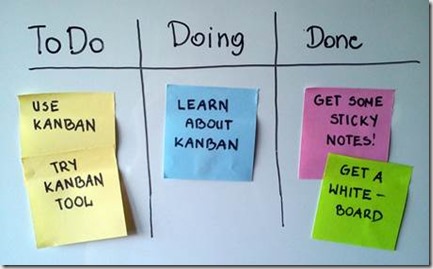
    Everybody knows that in Scrum and most of the other agile methodologies you must have a board and some sticky notes on it.
    clip_image002
    *Maybe your board is not a physical board but it is still a board. With notes.
    What are those notes? They are the actual work that is currently being done. The actual tasks that the team is working on in order to accomplish some user stories. User stories represent the user’s need. A feature that should be added to the application that will gain the user value. The tasks are the technical representation of that need.
    A user story represents a feature. However sometimes that feature doesn’t stand on its own or it is part of some bigger feature or a business concept that incorporates several features. That is called an Epic.
    Epic
    An epic is the biggest representation of a feature. In order to deliver an epic to the user we must divide the epic to smaller pieces – user stories.
    *In the Agile books epic is not divided directly to user stories it first divides to something that is called “Themes” and only they are divided to “User Stories”. However in the last 6 years I have never seen any team that uses Themes therefore we’ll not use them either.
    In our application we have three epics:
    1. Allow users to find, play and comment on videos
    2. Allow users to upload and edit content
    3. Recommend videos to users based on their interests
    This is our current product backlog. A backlog is basically a list of features that represents all the user’s needs and wishes. The backlog has two main principles that we should always apply:
    1. The backlog must always be prioritized from high to low according to the user’s needs.
    2. Every backlog item must have a “DoD” – Definition of Done that defines when the feature is actually complete. Sometimes it is called “Acceptance criteria”. It doesn’t replace the full description of the feature or its design. It is only a single sentence (maybe a couple) that describes how the feature will behave in the end.
    Our backlog is already prioritized so let’s add DoD to the epics.
    1
    2
    3
    *there are many agile management tools out there. You don’t have to use them, a physical board and sticky notes can be enough. However, when working on big project a dedicated virtual tool might be really useful. I personally recommend on Visual Studio Team Services.
    Remember that the epics should not include any technical or implementation details. They should only describe the business value. A more detailed description will be found inside the epic’s user stories.
    By prioritizing the backlog we know what is the most important feature that the user needs, hence it will be developed first. After we’ll finish it we’ll move to the next one in the list. This way we always deliver the user what he wants the most.
    I think that this is one of the best concepts in Agile development that is so different from the traditional ones. This way we can deliver small and valuable features to the user and receive feedback along the way.
    Breaking Epics into User Stories
    So the first epic is “Allow users to find and play videos”. In order to get a better understanding of what it really means we should divide it to smaller pieces – user stories. Every user story should match the following template: “As X I need/want Y to do/so that Z”. As a logged in user I want to update the details of my videos so that they be correct.
    It is extremely helpful when a user story has at least X and Y defined since it clearly expresses the main role of the feature (As a logged in user) and by so the relevant business stakeholders of this feature.
    Will we fail if we won’t name our user stories like that? Of course not.
    Do all the user stories need X Y and Z defined? Definitely not. However doing so makes you truly understand the scope and value of the feature.
    Epic: Allow users to find, play and comment on videos
    1
    2
    3
    4
    Few things to note:
    • The DoD adds meaningful information for the implementation of the feature.
    • The use of user and logged in user for separating the action of an anonymous user and a logged in one.
    • The priorities of the user stories determine what the most important feature to the user is and which one is the least.
    • Every user story gives actual value to the user and brings us closer to the epic’s DoD.
    Now we can split the top user story to its technical parts – the tasks.
    User story: As a user I want to play videos from a list of videos
    1
    1
    3
    4
    The complete backlog:
    5
    So now after we are familiar with all the product backlog items it is time to give them estimations.
    But how do we estimate?
    What estimation units should we use?
    What are story points?
    Do we have the same estimation units to all the backlog items?
     
    All the answers and much more are in the next post.
     
    Estimations in Agile development – Epics, User Stories and Tasks (you are here)
    Estimations in Agile development – Estimating User Stories with Story Points (go here)
    Estimations in Agile development – Sprint Planning Methods: Capacity vs. Velocity vs. Feature
    Estimations in Agile development - Improving Estimations using Burndown, Burnup and Actual time metrics